

Smokos Login: Sign In to Your Casino Account
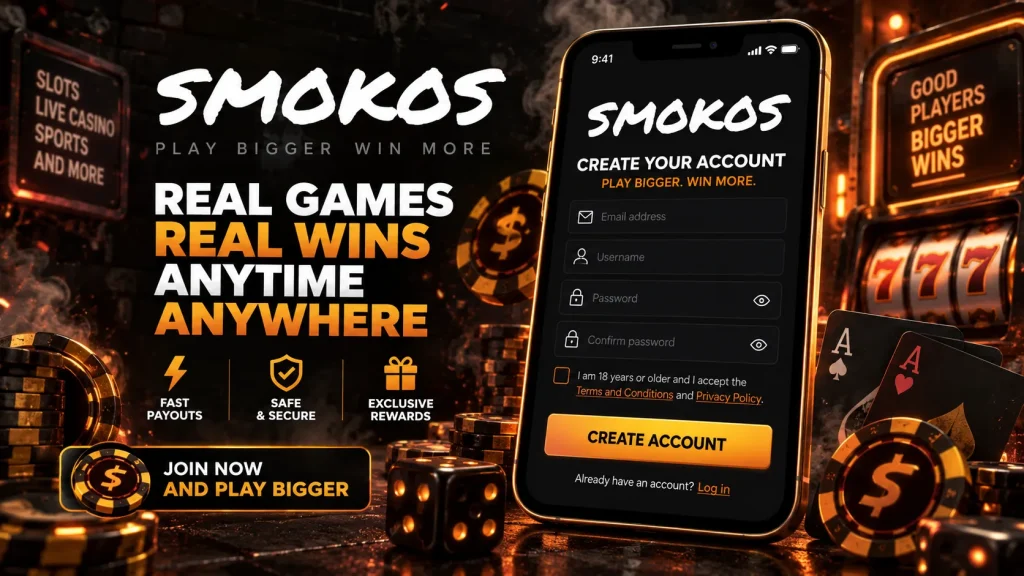
Logging in to Smokos takes about as long as reading this sentence. Hit the Login button at the top of any page, enter the email and password you registered with, and you’re back in the lobby with your balance, bonuses and Rewards progress exactly as you left them. Below is everything else worth knowing: how to create an account if you haven’t yet, what to do when a password goes missing, how to lock things down with two-factor authentication, and what to check if the login screen isn’t playing ball.
Signing In Step by Step
The Smokos login button sits in the top-right corner on desktop and in the header on mobile. Tap it, and a small panel opens over whatever page you’re on, so you don’t lose your place in the lobby. Type your email, then your password, and confirm. If your browser or phone has saved the details, autofill drops them in and Face ID or fingerprint can approve the sign-in on a phone. Once you’re in, the panel closes and the Login button is replaced by your balance and a shortcut to the cashier.
Sessions stay active for a reasonable stretch, so you won’t be asked to log in again every time you switch games. We do log you out after a long idle period, and you’ll always be asked to re-enter your password before changing sensitive details like your withdrawal method or email address. That’s deliberate: a moment of friction there is cheaper than a compromised account. If you share a device with anyone else, use the Logout option in your profile menu when you’re done rather than just closing the tab.
No Account Yet?
Registration is the same panel with a different tab. Choose Register, enter your email, pick a password, confirm you’re over 18 and agree to the terms. A verification link goes to your inbox; click it and your Smokos account is live. You can deposit and play straight away, and the Welcome Pack of up to $2,500 plus 400 free spins is waiting on your first deposits. Identity verification comes later, before your first withdrawal, so there’s no paperwork standing between you and the lobby on day one.
Forgot Your Password?
It happens to everyone. On the Smokos login panel, tap “Forgot password”, enter the email tied to your account, and we’ll send a reset link. Open it, choose a new password and you’re back in. The link expires after a short window for security, so if it’s been sitting in your inbox for a while, just request a fresh one. Check your spam or promotions folder if nothing arrives within a couple of minutes; some email providers file automated messages there by default.
If you no longer have access to the email address on the account, don’t try to register a new one. Duplicate accounts breach the terms and can lead to both being closed. Instead, open live chat, explain the situation, and our team will verify your identity with a few questions and a document check before updating the email on file. It takes a little longer than a self-service reset, but it keeps your balance and history intact and makes sure nobody else can pull the same trick on your account.
Choosing a Password That Holds Up
Use something long rather than something clever. Three or four unrelated words strung together beat a short jumble of symbols, and they’re easier to remember. Don’t reuse the password from your email or banking, because if one of those leaks, the Smokos casino login becomes the next target. A password manager sorts this for you and fills it in on every device. We never ask for your password over chat, email or social media, so if anyone claiming to be Smokos does, close the conversation and report it to us directly.
Two-Factor Authentication
Two-factor authentication, or 2FA, adds a second check to your Smokos login. Once it’s switched on, signing in requires your password plus a six-digit code from an authenticator app such as Google Authenticator or Authy. Even if someone gets hold of your password, they can’t get past the code without your phone. It’s optional, but we’d strongly recommend it for anyone who keeps a balance on the site.
Turn it on from the Security section of your profile. You’ll scan a QR code with your authenticator app, enter the first code it generates to confirm, and save the backup codes we show you somewhere safe. Those backup codes are your way back in if you lose or replace your phone, so treat them like cash. If you’ve lost both the phone and the backup codes, live chat can reset 2FA after a full identity check. Expect that to take a bit longer than usual, because we’d rather be thorough than let the wrong person through.
Logging In on Your Phone
The Smokos app is a web app you install from your browser, and logging in works identically to desktop. The first time you sign in on a phone, tick “Stay logged in” if it’s your own device and you’ll skip the password on future visits until the session expires. Safari and Chrome both offer to save your credentials, and a home-screen install means the Login button is one tap from your lock screen. If you use 2FA, keep the authenticator app on the same phone so the code is always to hand.
When Login Isn’t Working
Most login problems come down to a handful of causes. First, check the email address carefully; a typo or an old address is the usual culprit. Second, make sure caps lock is off and you’re not pasting a trailing space with the password. Third, clear your browser cache or try an incognito window, which rules out a stale cookie or an extension interfering with the page. Fourth, check that you’ve confirmed the verification email from registration, because unconfirmed accounts can’t sign in.
If the site says your account is locked, it’s usually because of too many failed attempts in a row, and it clears itself after a short cooling-off period. Accounts can also be locked deliberately, for example if you’ve set a self-exclusion or if our fraud checks flagged something unusual. In either case, live chat is the fastest route to an answer. The team can see exactly why a Smokos login is being refused and tell you what’s needed to sort it. Support runs 24/7, and you don’t need to be logged in to reach them; the chat icon is on every page, including the login screen itself.
That’s the lot. Sign in, register if you haven’t already, and if anything gets in the way, we’re a chat message away.